|
THE NINTENDO GAMEBOY ADVANCE
– FOR SOME SERIOUS FUN
HW specs
The GBA Classic is the low cost version of Nintendo’s
handheld gaming platform. The GBA SP is a more compact folding design,
with a rechargeable Li-ion battery (the Classic uses 2 AA batteries) and a
screen light. The Classic
is available for about US$50, the GBA SP with battery charger retails
for about US$100.
Both versions are otherwise identical – they have a 32 bit
ARM CPU, hardware accelerated color graphics, and code memory limited
only by the size of the game ROM cartridge.
Using the GBA
for non-gaming applications
The availability of flash memory cartridges and GNU based
software development kits make the GBA a great platform for
instrumentation, data logging and visualization. Here are a couple of
GBA applications for the recreational paraglider/hangglider
pilot - an altimeter/vario and a moving map
GPS.
The advantage of having a GBA is that if it’s not flyable
when you get to the hill, you can always swap in a game ROM cartridge
to while away the time and exercise those sluggish synapses!
ALTIMETER/VARIO
Features
·
Altitude MSL (display resolution 1m)
·
Altitude above take-off
·
Elapsed time
·
Temperature
·
Color coded vario
bar graph (low scale -4m/s to +4m/s with display resolution 0.25m/s,
max +-12 m/s)
·
User settable units (m/ft)
·
Audio chirp rate and frequency
proportional to climb rate
·
User settable sink rate threshold
for audible tone
·
Log last flight max altitude MSL, max
altitude above take-off, end of flight altitude MSL, elapsed time, and
max climb rate to battery backed SRAM
·
Audio trainer mode – helps
correlate chirp rate and frequency to absolute climb rate.
Prototype
Platform
·
Gameboy
Advance SP
·
Flash cartridge with battery backed
SRAM
·
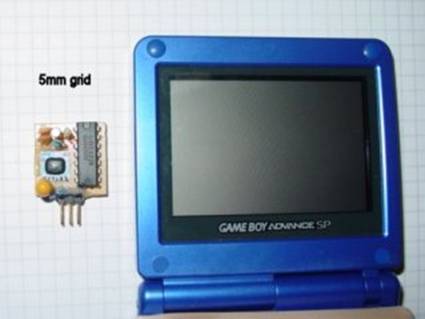
External sensor hardware.
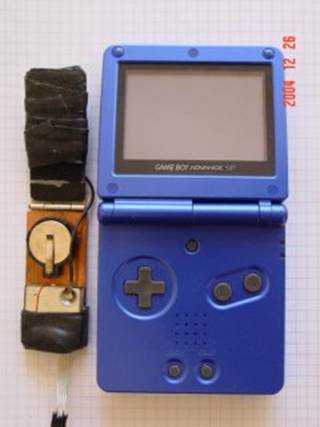
This is a hand-wired prototype. With SMD components the external
hardware could be easily integrated into a 1cm x 0.75cm x 3cm dongle
plugging into the GBA link port.
User
Interface/Operator’s Manual
Overview
Pressing the START button cycles the system
through 4 normal running modes. On power up, a flight log screen shows
you flight data for past flights. Press the START button to take
you to the settings screen. Here you can correct the altitude reading
if required, or set the units for the altitude and temperature
readings. Just before launching, press the START button to
display real-time altitude, temperature, climbrate
and elapsed time. On
landing, press the START button to save the flight data and take
you back to the flight log screen.
Flight Log Screen
The unit powers up with a flight log screen, where flight data
for up to 20 flights are recorded. If there are already 20 flights
recorded, the oldest record is overwritten with the current flight
record.
A flight data record is created only if the max altitude above
take off is more than 5m, OR if the difference between take off
altitude and end of flight altitude is greater than 5m.
The data recorded for each flight are :
Flight duration in hours, minutes and seconds
Maximum altitude MSL
Maximum altitude above take off (ATO)
End of flight altitude MSL
Max Climb rate
Max Sink rate
The flight log screen displays the most recent flight record
first. Use the joypad LEFT and RIGHT buttons to
scroll through the list.
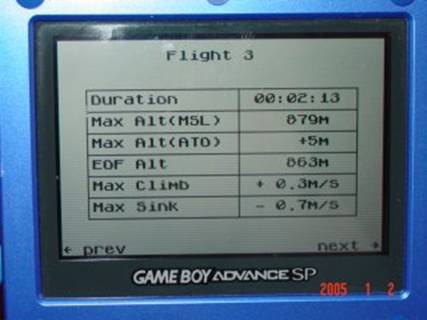
Press the START button to take you to the Units
Setting/Altitude Calibration screen.
Units Setting/Altitude
Calibration Screen
This screen displays real-time altitude and temperature data. You
may correct the altitude data or adjust the display units
settings using the joypad buttons.
Units Setting
The altitude (climb rate) can be displayed in m (m/s)
or in ft (ft/s). The temperature can be displayed in Celsius or
Fahrenheit.
Press the LEFT
or RIGHT joypad button to cycle
through the 4 following selections:
1. Altitude in m, Climb rate in m/s, Temperature in Celsius
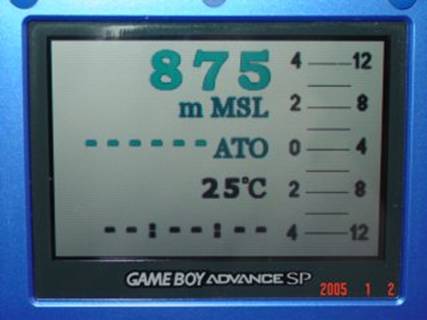
2. Altitude in m, Climb rate in ft/s, Temperature in Fahrenheit
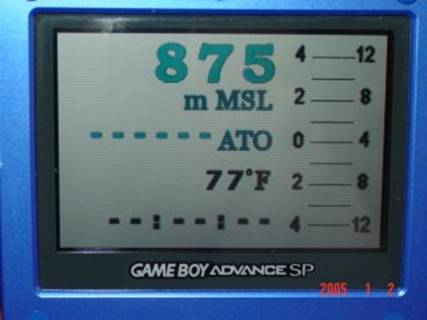
3. Altitude in ft, Climb rate in ft/s, Temperature in Celsius
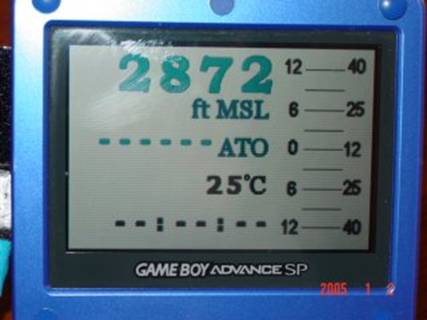
4. Altitude in ft, Climb rate in ft/s, Temperature in Fahrenheit
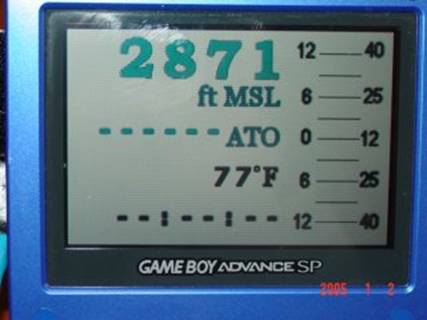
Your selection will be saved to memory.
Altitude
Calibration
The system uses a barometric pressure sensor, and requires the
sea level pressure to be known in order to
compute the altitude above mean sea level (MSL). The nominal mean sea level
pressure is 1013.25 mbar, but fluctuates depending on local weather
conditions.
Press the UP or DOWN joypad
button to correct the altitude reading if required, by adjusting the
internal sea level reference pressure. Your setting will be saved to
memory. Press the A button to revert the reference pressure to
the factory default sea level reference pressure of 1013.25 mbar.
Flight Data Screen
From the units setting/altitude calibration screen, press the START
button when you are ready to launch. This will start the elapsed timer
and vario display and save the current
altitude as the take-off altitude.
The flight data screen displays current altitude above mean sea
level (msl), current altitude above take-off,
current temperature, current climbrate as a
color coded bar graph, and
elapsed time in hours, minutes and seconds.
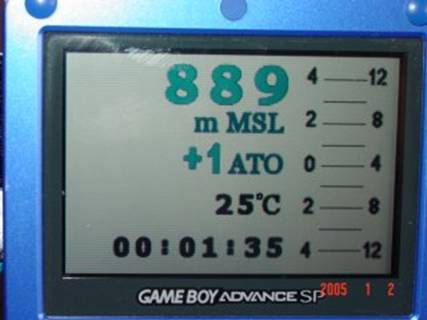
On landing, pressing the START button again. This will
freeze the timer, and if the flight altitude thresholds are met, a
flight data record is saved. The display then reverts to the Flight Log
screen with the first record showing the data for the just completed
flight.
Audio Trainer Screen
From the Units Setting/Altitude Calibration screen, pressing the LEFT
SHOULDER button will take you to a vario
simulation screen. In this screen mode, different climb and sink rates
can simulated by pressing the joypad UP
and DOWN buttons – this will allow you to correlate the
audio chirp rate and frequency with the absolute climb rate with some
practice. That will help you get some sense of the absolute climb rate
while flying without the distraction of looking at the vario.
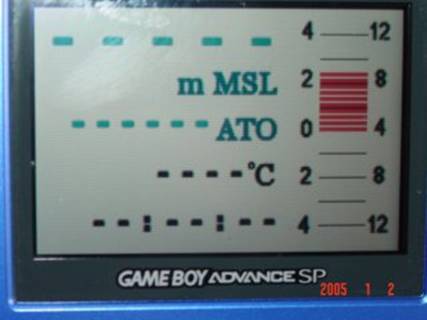
The following screen snapshot shows a simulated climb rate of 3.5
m/s in audio trainer screen mode.
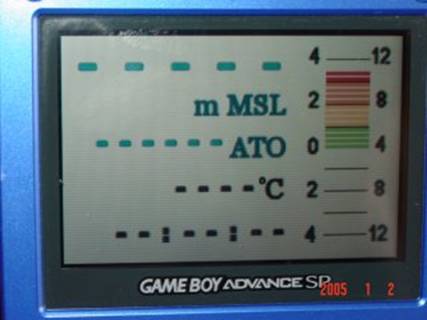
The next screen snapshot shows a simulated climb rate of 9 m/s.
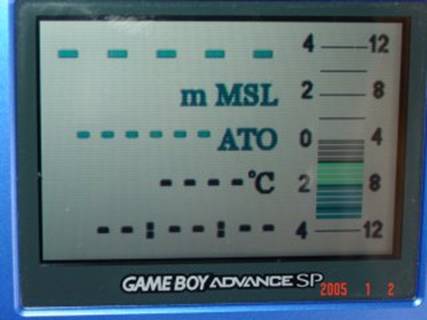
The next screen snapshot shows a simulated sink rate of 3.5 m/s.
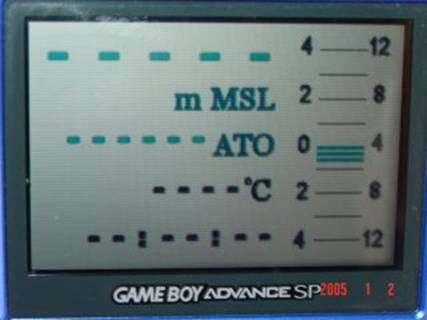
The next screen snapshot shows a simulated sink rate of 5.5 m/s.
Pressing the START button in Audio Trainer screen will take
you to the normal Flight Data Screen and start the real-time altitude
MSL, altitude ATO, temperature, elapsed timer and vario
data display.
GPS
Features:
·
Moving map display with pre-compiled
color maps, current position centred on
display
·
Scrolling date, position and
satellite status display
·
Altitude MSL (display resolution 1m)
·
Horizontal velocity km/h
·
Elapsed time
·
Vertical velocity (vario function).
·
Display update rate 1Hz.
Prototype :
·
Gameboy
Advance SP
·
Flash cartridge with battery backed
SRAM
·
8-channel GPS module and patch
antenna.
FOR MORE INFORMATION
Email : harinnair_at_yahoo_dot_com
Mobile
: +91 98800 36128
|


